HDMI Displayport USB C Docking Station Dual Monitor for Laptop & Desktop (13-in-1) MST DP1.4 4K@120Hz+HDMI2.0 4K@60Hz,10Gbp data
SW523 / US Plower Adapter
Sale price
$151.99
Regular price
$157.99
Skip to product information


HDMI Displayport USB C Docking Station Dual Monitor for Laptop & Desktop (13-in-1) MST DP1.4 4K@120Hz+HDMI2.0 4K@60Hz,10Gbp data
Sale price
$151.99
Regular price
$157.99
SPECIFICATIONS
Brand Name: AIMOS
Certification: CE,FCC,RoHS
Choice: yes
High-concerned chemical: None
Model Number: SW522
Origin: Mainland China
Package: Yes
Type: USB Adapter
semi_Choice: yes
There are 3 models optional, different model has different interface and appearance, please choose suitable model before purchase:
Attention: Our SW521-SW525 series products have a USB C port that is only used for laptop input and video transmission, and cannot be used for charging!!!
SW522 1HDMI + 1DP:HDMI Displayport USB C Docking Station Dual Monitor for Laptop & Desktop (13-in-1) MST DP1.4 4K120Hz+HDMI2.0 4K60Hz, with USB-A*2+USB-C*1 10Gbps, USB 3.0*2 5Gbps USB Hub & SD/MicroSD Card Slot
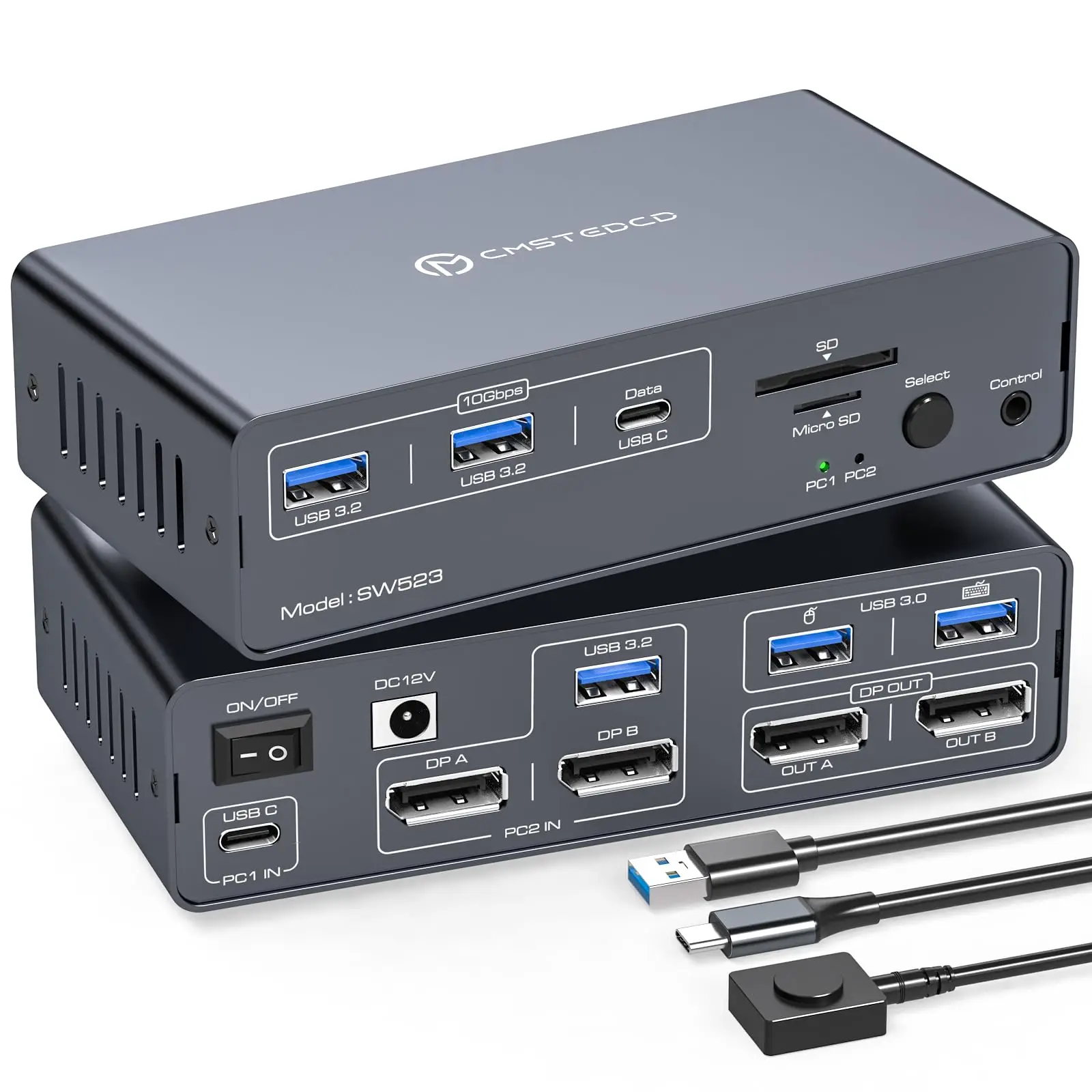
SW523 2DP:4K120Hz Displayport USB C Docking Station Dual Monitor for Laptop & Desktop (13-in-1) 2 Monitors 2 Computers with USB-A*2+USB-C*1 10Gbps, USB 3.0 * 2 5Gbps USB Hub & SD/MicroSD Card Slot
SW521 2HDMI:USB C HDMI Docking Station Dual Monitor for Laptop and Computer(13-in-1) Type C Dock with 2 4K@60Hz 2 HDMI 2.0, 10Gbps USBC + USBA 3.2 Date, 5Gbps USB 3.0 Date and SD/microSD Card Slots
About SW522 1HDMI 1DP item
【Docking Station Dual Monitor Switching between Laptop & Desktop】HDMI Displayport USB C docking station dual monitor provides 1 USB-C (MST) input port for laptops and 1 integrated HDMI + DisplayPort + USB-A input port for desktops, letting two computers share a 1 HDMI + 1 DP display, so you can easily switch between them. Note: Please make sure the USB C port of your laptop supports image output; desktop must be connected with USB*1+HDMI*1+DP*1 to the “PC2 IN” of the docking station
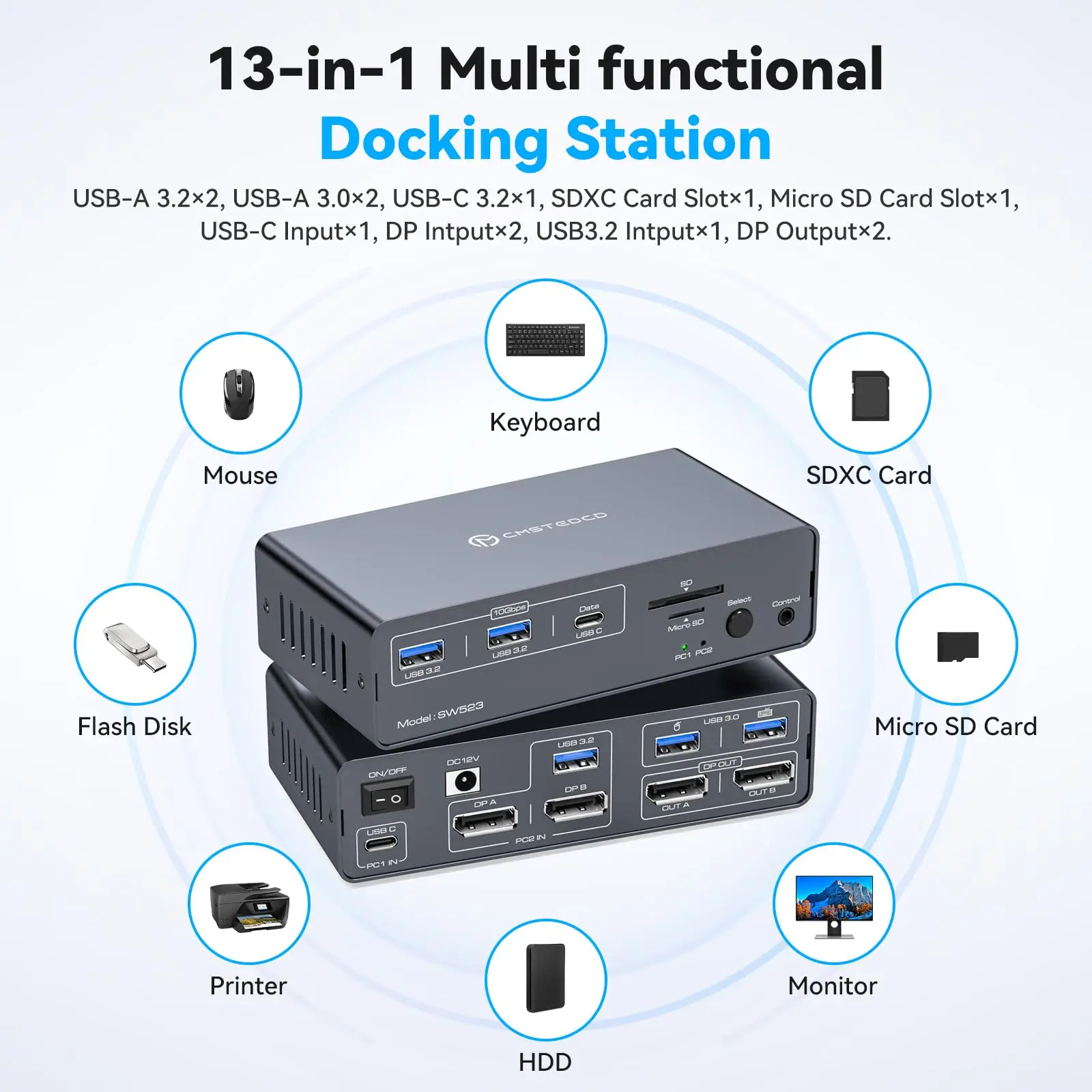
【Multi-function 13-in-1 Docking Station】The Docking station dual monitor provides multiple shared peripheral ports: 2 USB 3.0 for connecting mouse and keyboard; 3 10Gbps USB 3.2 ports (2 USB-A+1 USB-C) for connecting printers, hard disks, USB flash drives, etc.; and 1 SD card slot + 1 Micro SD card slot provide you with a variety of data transfer methods to create a powerful home workstation. Note: The 10Gbps USB-C port transfers data only and does not support PD charging or video transfer
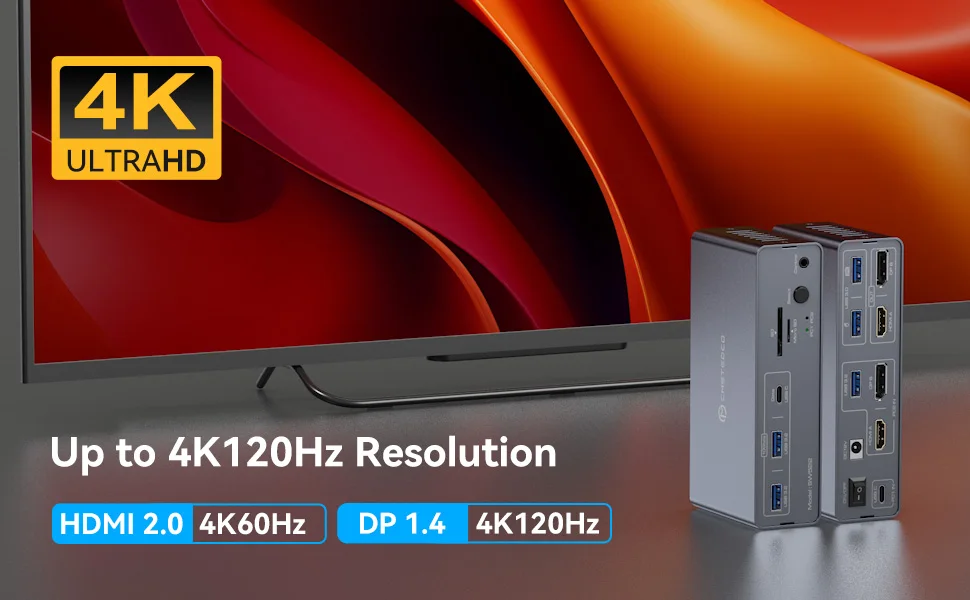
【DP1.4 + HDMI2.0 Dual Monitor HD Quality】HDMI DP Thunderbolt docking station's DP port supports resolutions up to 4K120Hz and the HDMI port supports resolutions up to 4K60Hz and is backward compatible with other lower resolutions for an immersive gaming experience. To get the highest resolution, please make sure all your devices and cables are capable of supporting the corresponding resolution, and the total length of input and output cables is recommended to be no more than 3 meters (10Ft)
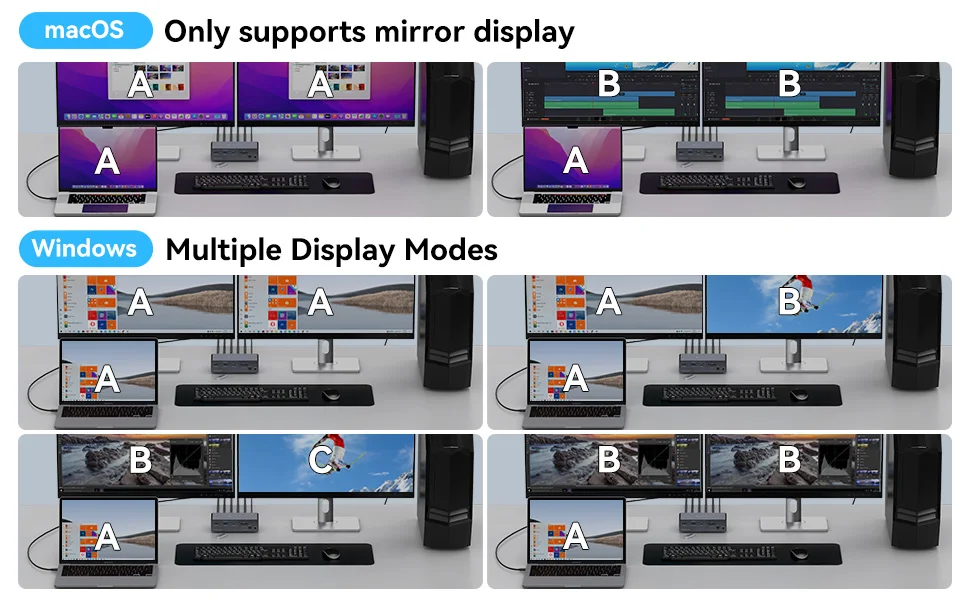
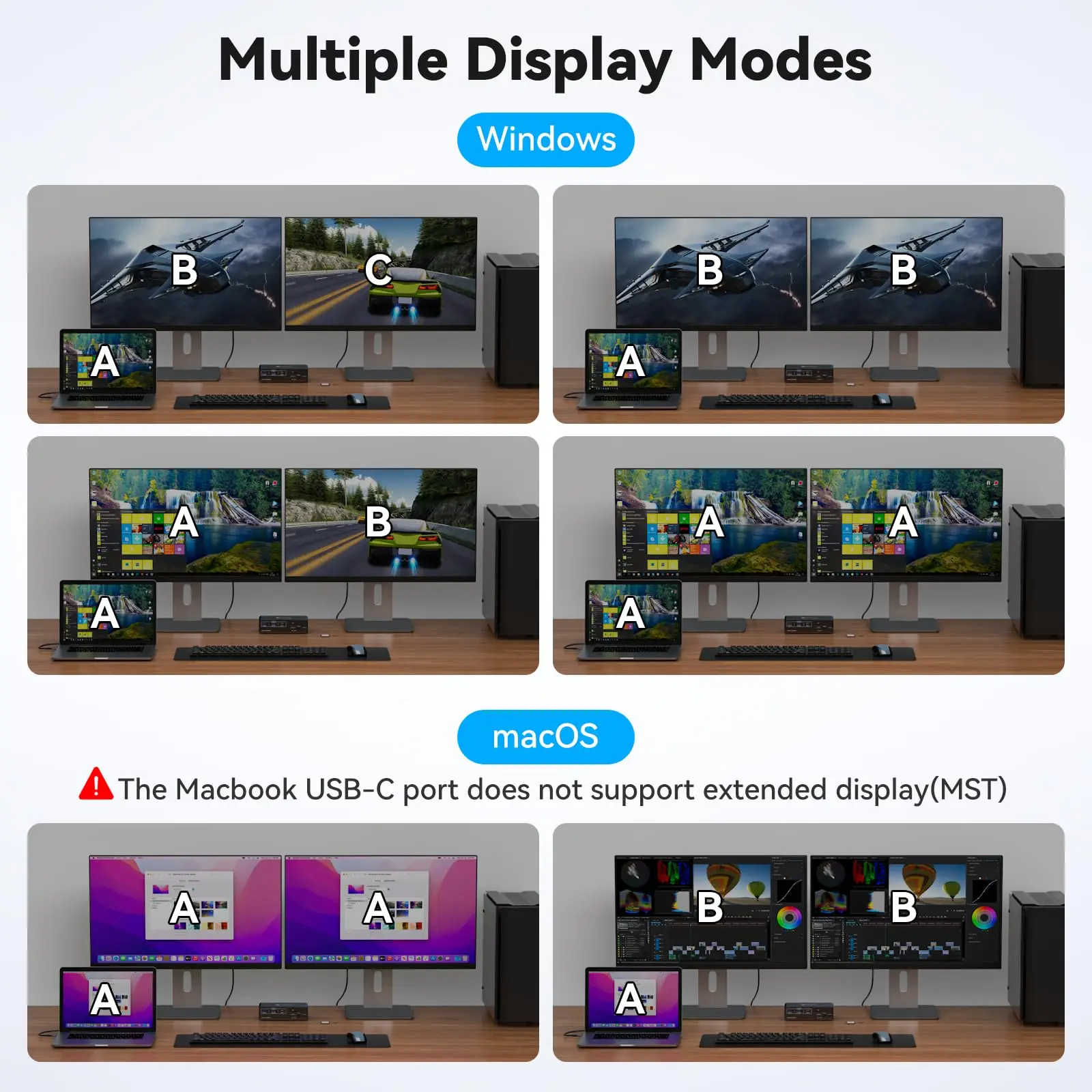
【Two Display Modes】In mirrored mode the 2 monitors display the same screen, i.e. the computer and the 2 monitors can present AAA or ABB display mode; in extended mode the 2 monitors display different screens, i.e. the computer and the 2 monitors can present ABC display mode. Note: Please make sure your desktop supports multi-monitor, and your laptop supports MST and SST to use the two display modes normally. macOS doesn't support MST due to system limitation, and you can't use extended display
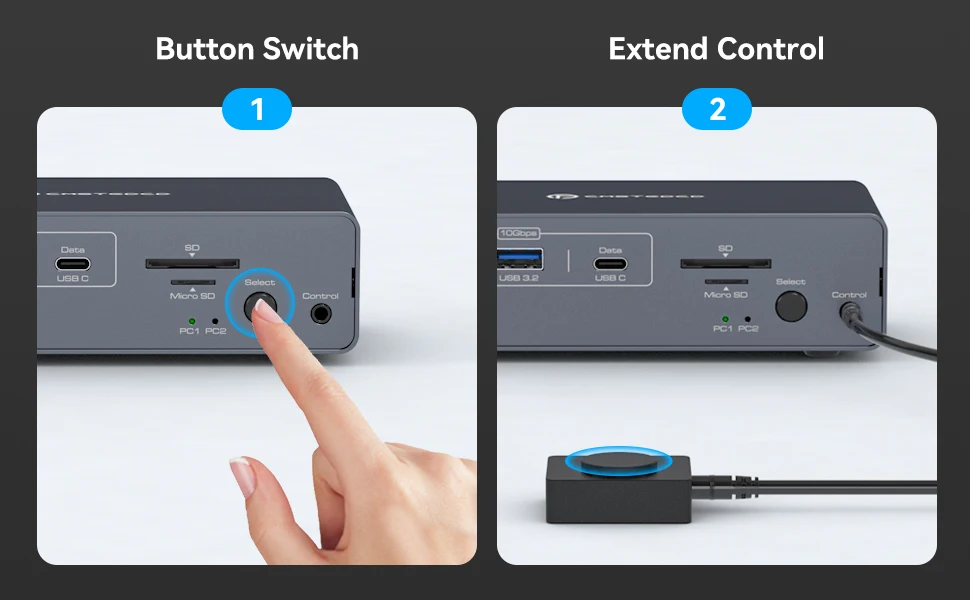
【Easy switching】Docking station 2 monitors 2 computers includes a external controller, you can place the docking station outside of your workspace and switch between 2 computers via the external controller, saving your workspace and keeping your desktop tidy; You can also use the “Select” button on the front panel of the docking station to switch the signal source with one click. LED indicator will show which source is working, avoiding the trouble of frequent wiring and improving efficiency
-
【Packing List & Quality Service】Package includes USB-A 3.0 cable*1, USB-C to C cable*1, external controller kits*1, DC 12V power adapter*1 and user manual. We also provide high quality customer service, if you have any questions about our goods, please feel free to contact us, we will get in touch with you within 24 hours and help you solve the problem
-
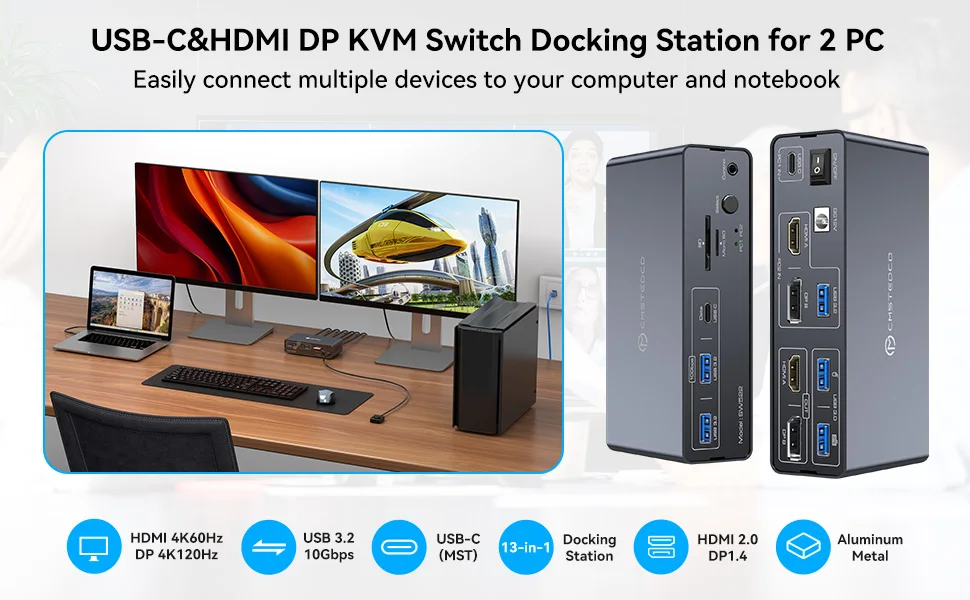
13-in-1 Docking Station 2 Monitors 2 Computers Switching between Laptop & Desktop
Supports controlling 2 computer devices and 2 monitors using only 1 set of keyboard and mouse.
Supports mouse and keyboard connection to KVM via two USB 3.0 ports.
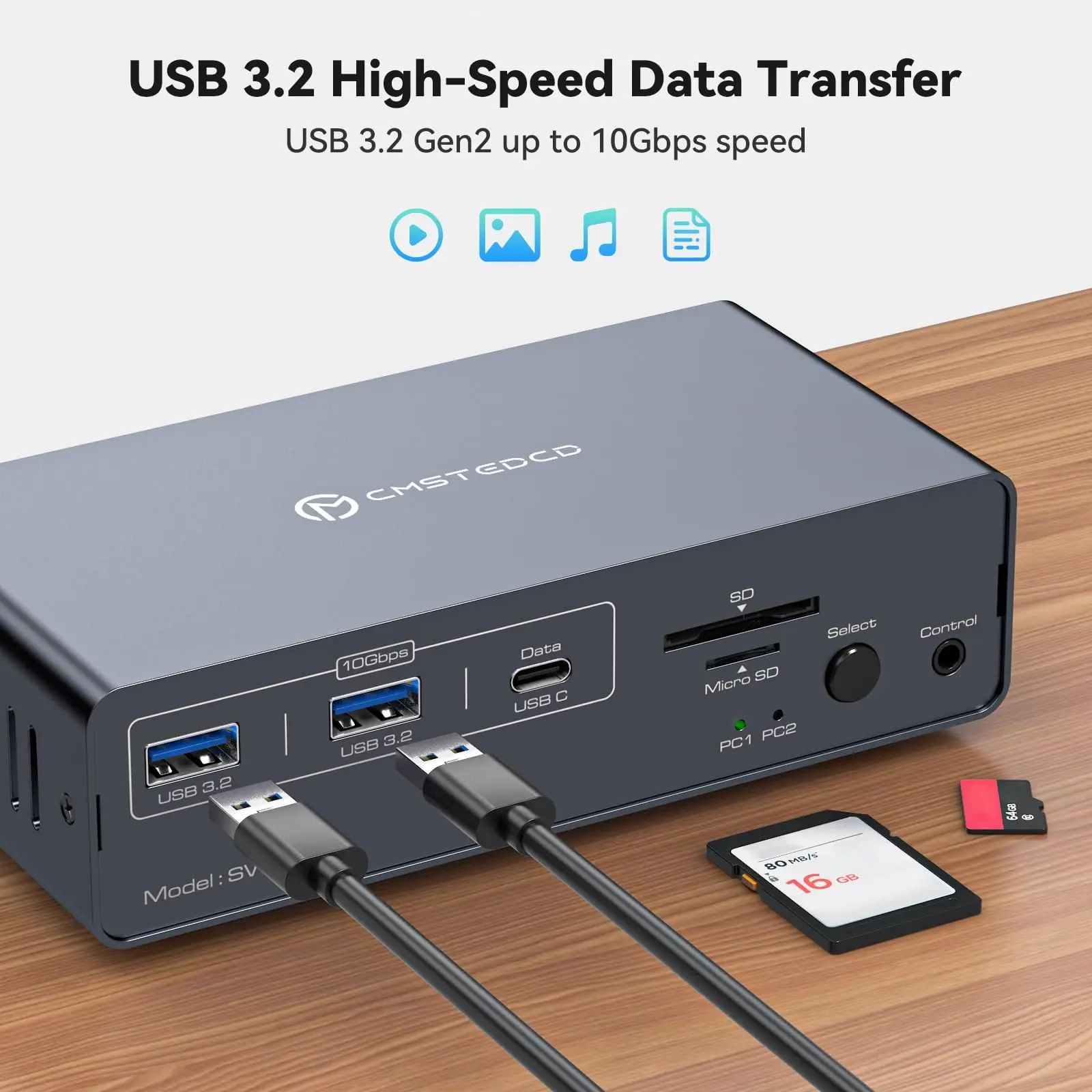
Supports connecting barcode scanners,USB storage,or other high-speed USB devices through two USB 3.2 Gen2 and one USB-C port
Supports HDMI version 2.0 and DP version 1.4, HDMI port supports resolutions up to 3840*2160(4K)60Hz, DP port supports resolutions up to 3840*2160(4K)120Hz
Supports host USB 3.2 Gen2 transfer rate
Support front panel buttons and external switch buttons to control KVM switch inputs.
The USB-C port supports dual screen mode for Windows and Mac OS.
Supports USB 3.0 SD card and Micro SD card
How to Use?
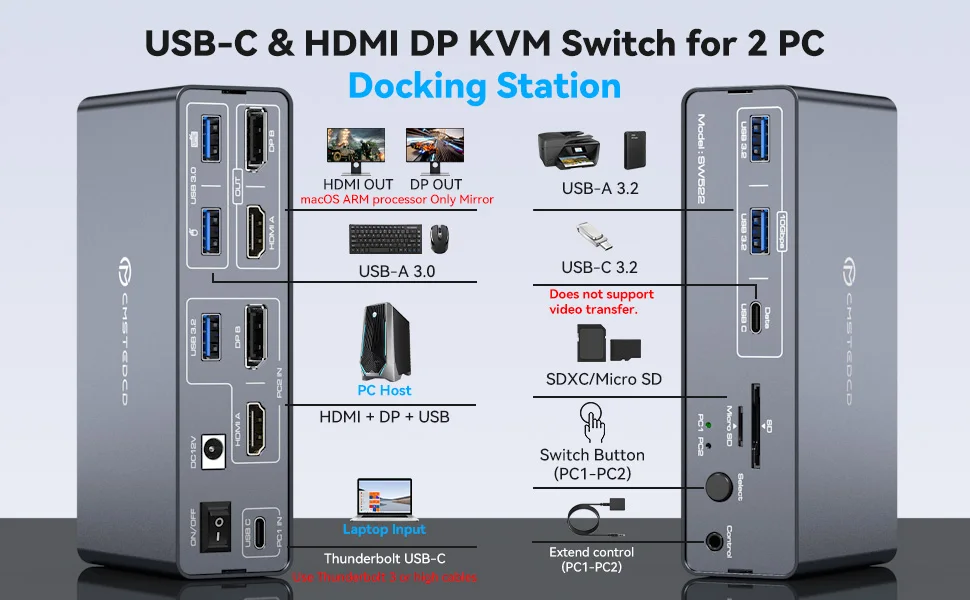
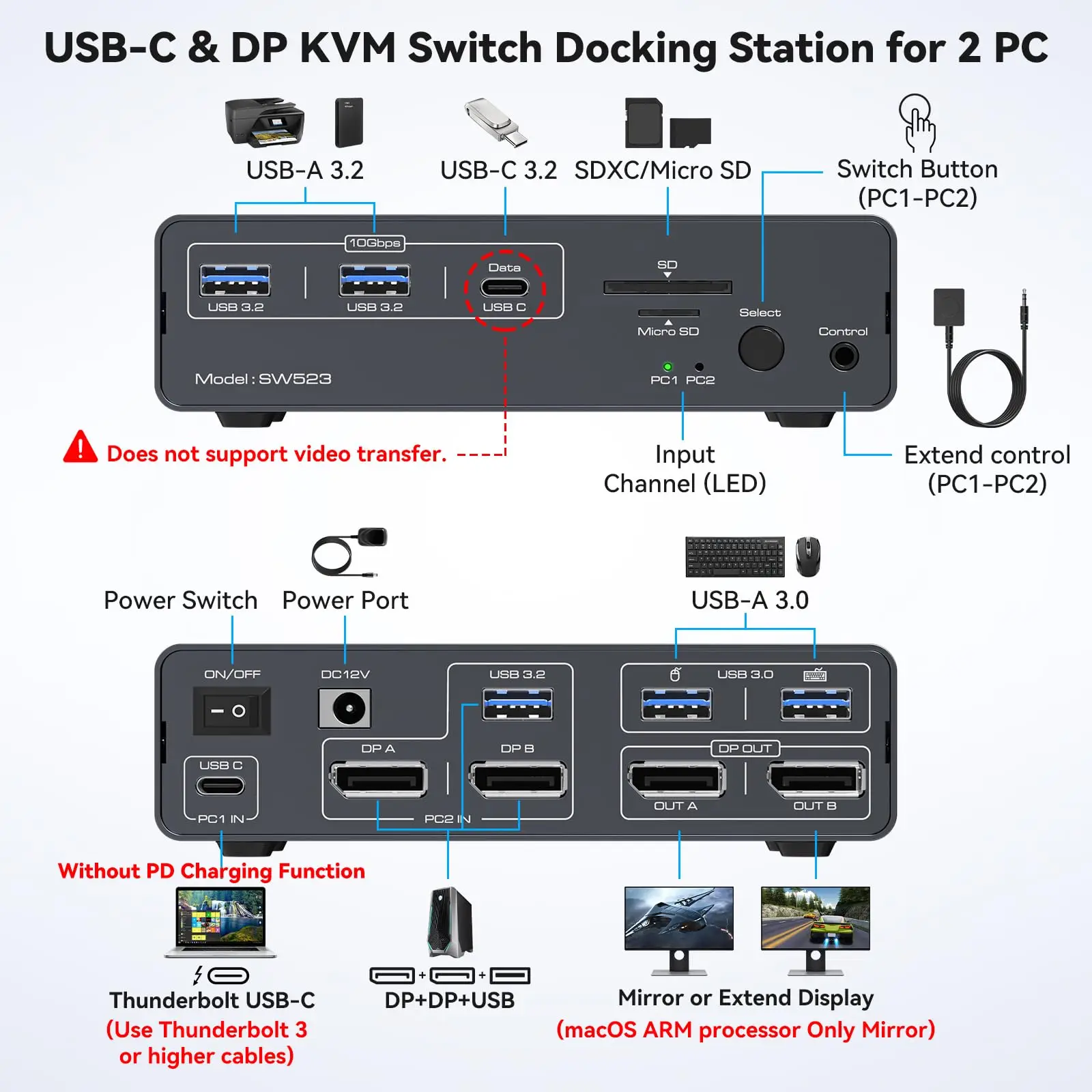
Laptops connect to the PC1 IN port of the docking station via the USB-C port (supports video transmission, Thunderbolt 3 or higher); desktops connect to the PC2 IN port of the docking station via the 1HDMI+1DP+1USB-A port.
Connect the HDMI/DP output port on the back of the KVM switch to the monitor through an HDMI/DP cable.
Connect the mouse and keyboard to the USB 3.0 port on the back.
Connect USB storage devices,printers,and other USB devices to the USB port on the front panel(the USB-C port on the front panel only supports data transfer and does not support PD charging and video transfer)
Switch between Computer 1 and Computer 2 through the buttons on the panel or external control kit.
Attention:
Before power on,please check the connection line carefully.And make sure that all interfaces are normally connected.
Before inserting the connecting cable,please disconnect the power supply first.
 Multiple Display Modes
macOS: Only supports mirror mode, i.e. AAA and ABB display modes, and the two monitors display the same picture.
Windows: Supports mirror mode and extended mode, i.e. AAA, ABB, AAB and ABC display modes, and the two monitors can display the same picture or different pictures.
It is not recommended to connect any other intermediate devices between the computer and the adapter, as there may be compatibility issues that prevent the extended mode from being implemented.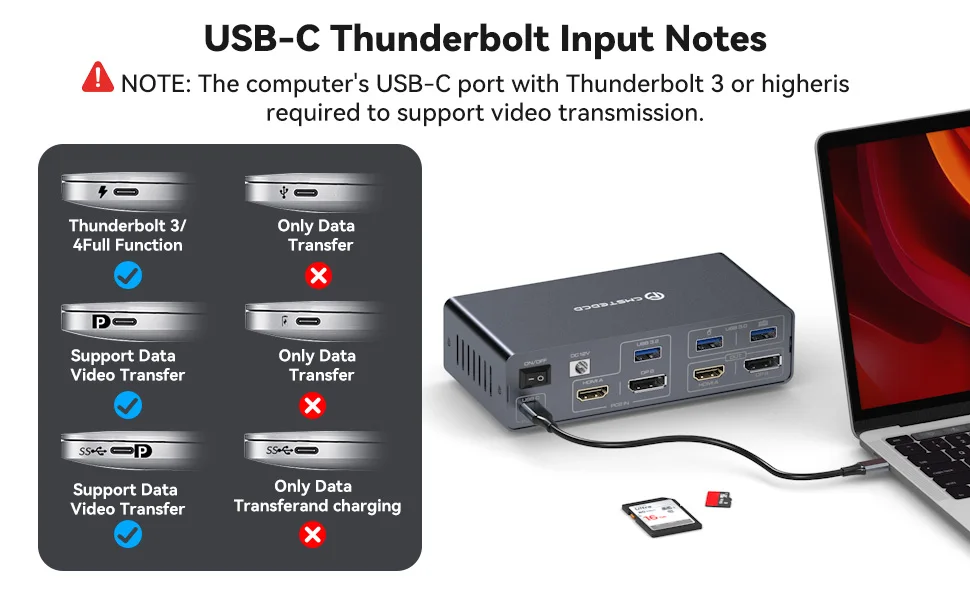
Pre-purchase Notice:
Please check your laptop: Please confirm what functions the USB-C port on your laptop supports. The docking station only works with devices whose USB Type C port supports video output or DP Alt mode. It may not be suitable for all USB C laptops.
Please confirm the DP version of the computer graphics card. Only DP version 1.2 and above supports the extended screen (MST), otherwise the device cannot extend two different screens on two monitors.
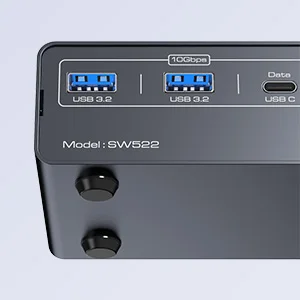
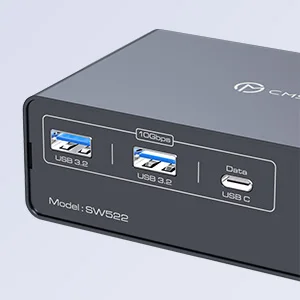
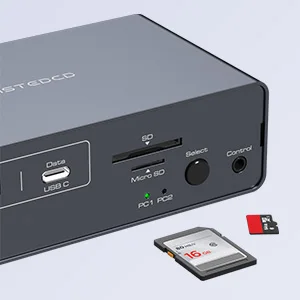 Equipped with 4 rubber feet
The docking station package includes 4 rubber feet that can be attached to the bottom of the docking station to prevent the docking station from sliding and damaging the desktop during use.
Equipped with three 10Gbps USB 3.2 ports (2 USB-A + 1 USB-C)
The docking station is equipped with three USB 3.2 ports for connecting printers, hard drives, USB flash drives and more, with transfer speeds of up to 10Gbps for transferring large files in seconds.
Note: The 10Gbps USB-C port transfers data only, and does not support PD charging or video transfer.
Equipped with 1 SD card slot & 1 micro SD card slot
The Dock Station connects to SD cards and Micro SD cards, providing you with multiple methods of data transfer, reducing device unplugging, and creating a powerful home workstation.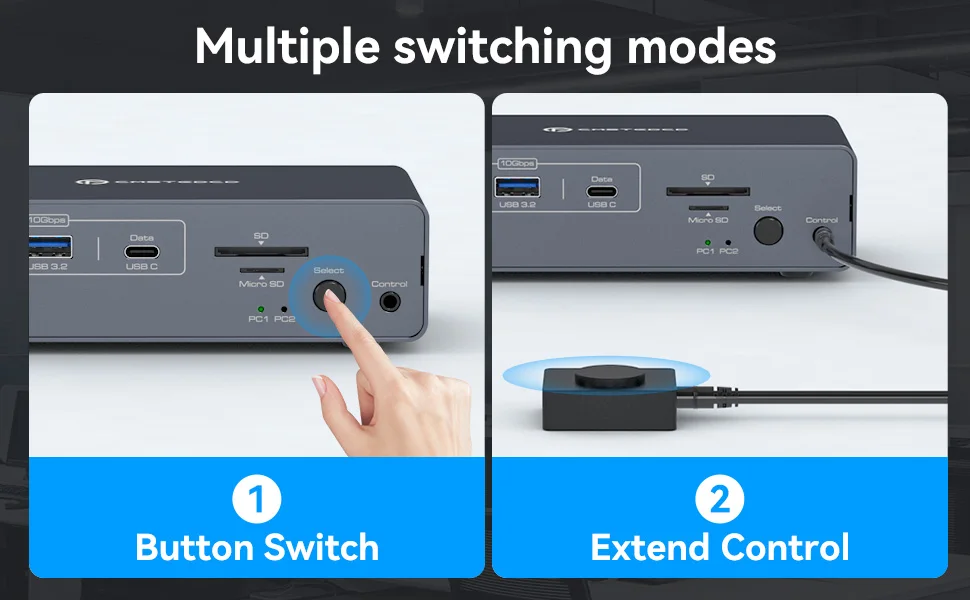
About SW523 2DP item
USB C Dual Monitor Docking Station: The docking station allows USB C laptops and desktop computers to share a 13-in-1 multi-port docking station; you can share two monitors, a mouse, and a keyboard and switch seamlessly between your work laptops and personal computers, saving space and keeping your desktop neat and tidy, eliminating the need for repeated plugging and unplugging and improving work efficiency. Note: USB C input without PD charging function
Dual Mode Docking Station: This docking station supports dual monitor resolutions up to 4K120Hz for a stunning visual experience with sharp, clear and vibrant colors that make every task a pleasure. Supports dual-screen docking mode and dual-screen mirroring mode; a feature that dramatically improves productivity for professionals who rely on multiple screens for multitasking, graphic design, video editing or data analysis. Note: MacOS only supports mirroring mode
13-in-1 Multi-Function Docking Station: The combination of multifunctional ports of the KVM docking station simplifies complex tasks to a great extent.USB 3.0 ports for mouse and keyboard;10Gbps USB 3.2 and USB-C data transfer ports on the front panel for more high-speed usb devices;The SD card slot and Micro SD card slot provide faster data transfer methods.Note: The USB-C port on the front panel only supports data transfer.The computer's USB-C port needs to support Thunderbolt 3 or higher
Two Switching Modes: Switch by pressing the select button on the docking station; switch by using the desktop expansion button, which allows you to place the docking station under the desktop or outside of the work area for a cleaner desktop. Supports smooth and easy switching between entertainment and work modes, allowing you to maximize your work efficiency without compromising your gaming experience. Note: Keyboard shortcuts (hotkeys) switching is not supported
-
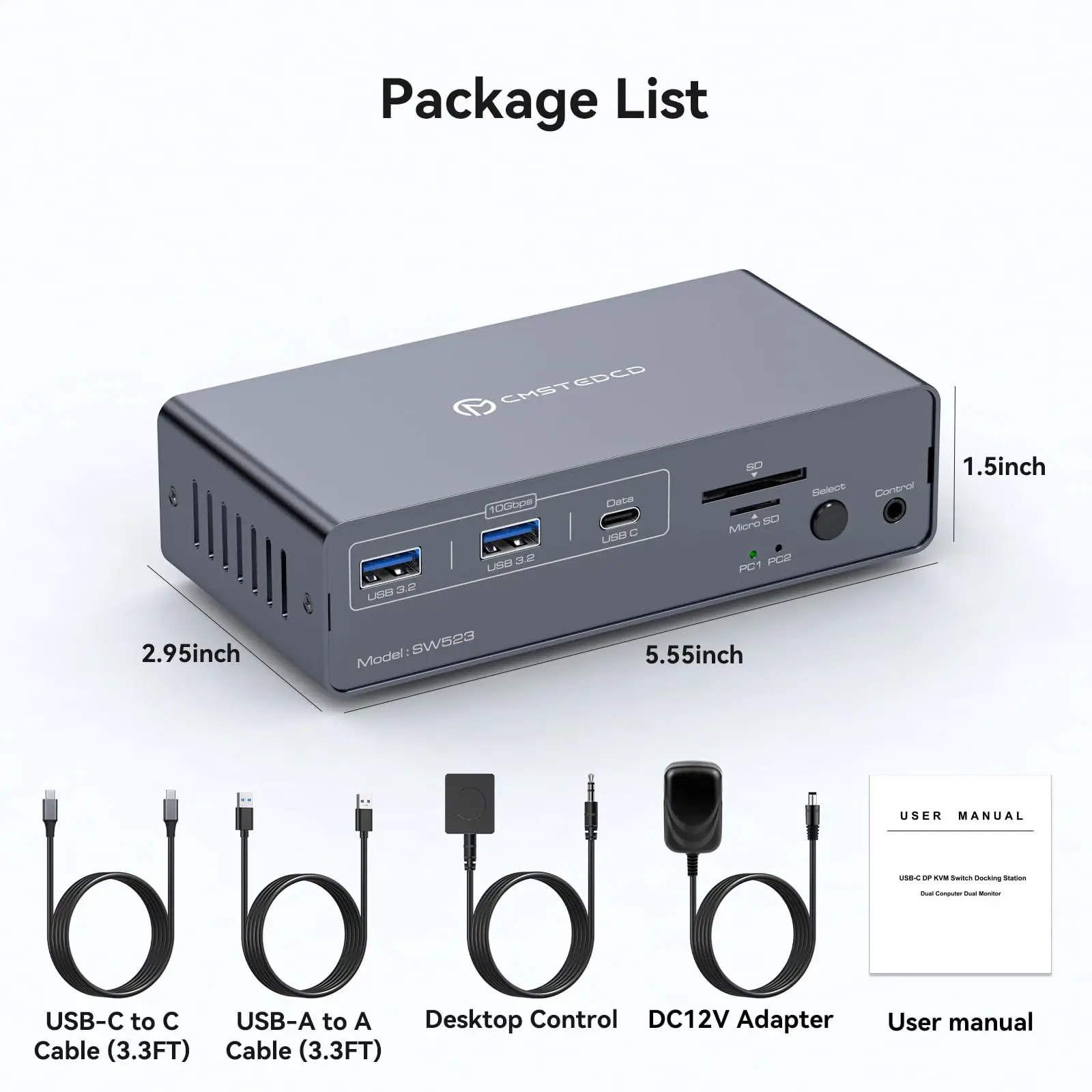
What will You Get:Package Included: DC12V Power Adapter X1; USB-C-C Cable X1; UAB3.0 A-A Cable X1; Desktop Controller X1; User's Manual X1, We will deliver the product to you in a short time, and within 12 months after purchase if there is any problem, please contact us.
About SW521 2HDMI item
KVM Switch Between Laptop and Desktop:This KVM Switch 2 Computers 2 Monitors supports one laptop and one PC to share a 13-in-1 docking station;it includes two monitors with HDMI ports,mouse,keyboard,USB flash drive,SD card and other devices;seamless switching,saving space,improving efficiency and usage experience.Note: 1.Ensure that the C port of the laptop supports video transmission;2.The desktop PC should have two HDMI ports.
4K 60Hz Switch and EDID Function:Dual Monitor KVM Switches support a resolution of up to 4K@60Hz and can transmit impressive high-quality high-definition video.Downward compatible with 2K@144Hz, 1080P, etc. Has EDID copy function. No need to rearrange desktop windows after quick switching. Supports copy and extend display modes.Note: Mac OS is limited to mirror mode and can't extend two different screens. Windows OS supports SST and MST modes to output two different images simultaneously.
USB 3.2 Switch with SD Card Reader:The USB C HDMI KVM Switch has 2 USB3.2 ports and one USB C port.The transmission speed is up to 10Gbps,suitable for devices such as USB flash drives and hubs.The USB3.0 port is for mouse and keyboard, making the connection smoother and downward compatible with USB2.0. Equipped with SD and Micro SD card ports to copy data to laptops and PCs easily.Note: USB C output port marked "DATA" only for data transmission, not video.(Must use the included USB cable to avoid incompatibility)
Easy Switching:This KVM Docking Station is small,sturdy,and compact,saving space.It has a metal casing and is resistant to drops and noise.The indicator light shows the active channel.There is an additional extended independent switch button besides the one on the device.Makes it easier to move machine under cable management block and place switch button on table top for a neater desktop. Just click a button to switch between laptop and PC.Note: No keyboard shortcuts (hotkeys) supported.
Stable Operation and After-Sales Service: The power supply of KVM Switch HDMI DC12V/1.5A provides sufficient energy for the switcher to ensure stable operation.This docking station will not consume the computer's power and cannot supply power to the device,which can better protect the computer.We provide 12 months of technical support .If you have any questions,please contact us in time.
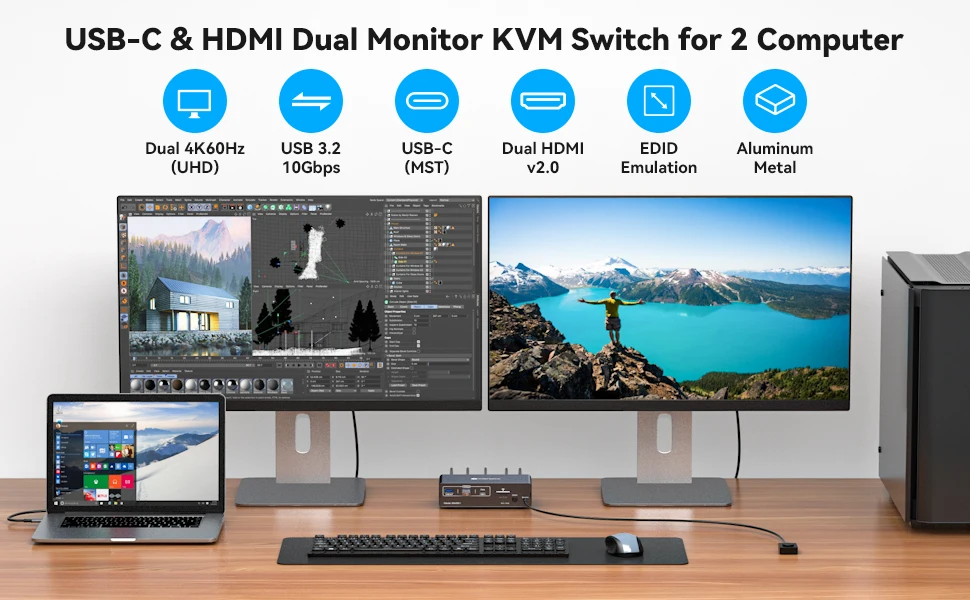
KVM switch between Laptop and Desktop:
USB C computer and HDMI PC share a set of mouse, keyboard, two monitors and other peripherals.
It supports 4K@60Hz resolution for transferring impressive HD video, delivering a beautiful, crisp, clear picture and is backward compatible with 2K@144Hz,1080P and more.
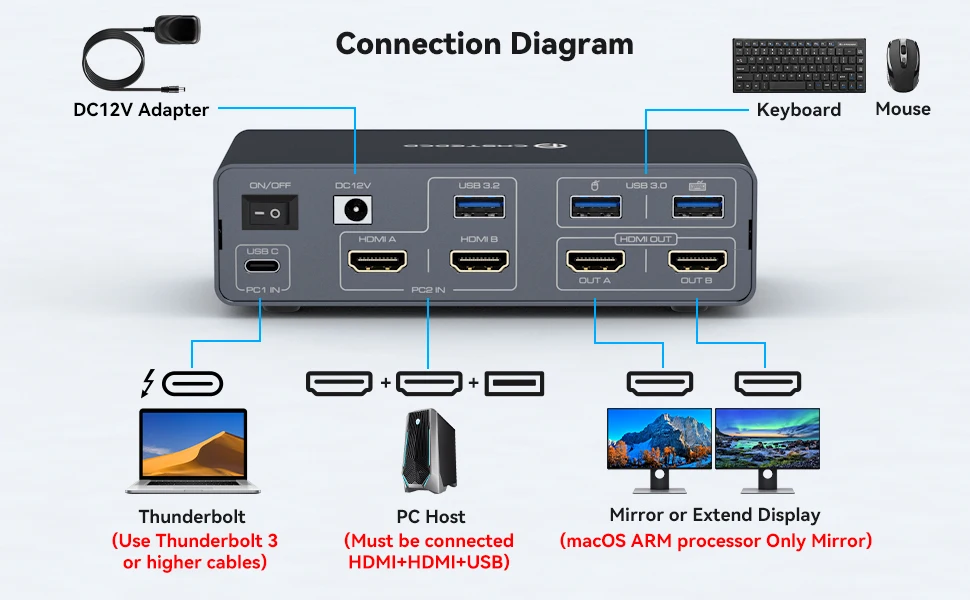
Plug and Play
Input: Laptop with USB C port, PC with two HDMI ports and one USB A port, both computers connected to the KVM at the same time.
Output: two monitors connected to the KVM via HDMI ports
Peripherals: mouse and keyboard linked via USB 3.0
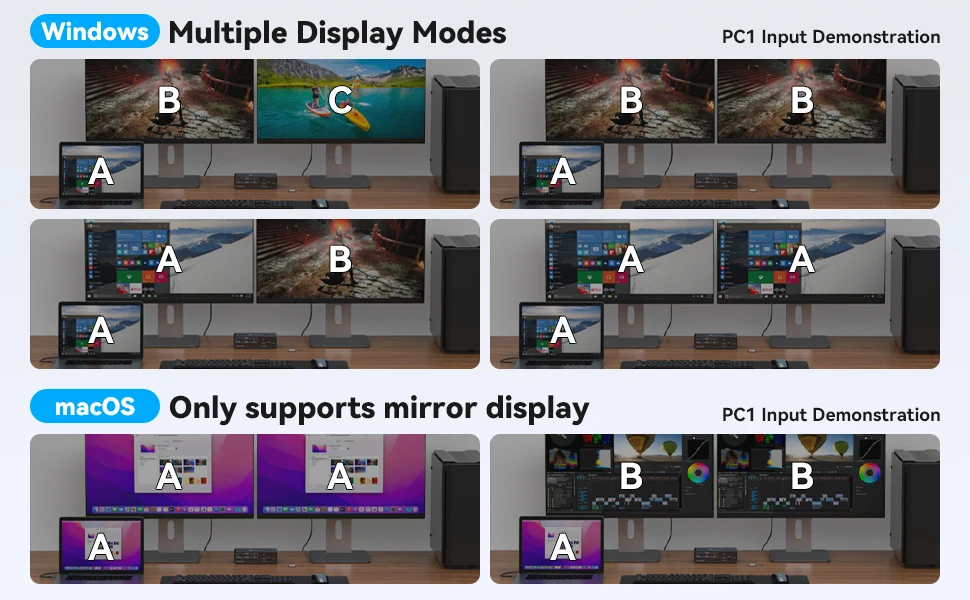
Two display modes:
Copy Mode: copies the screen from the main screen to the secondary screen, suitable for presenting your PPT or other works.
Extended Mode: Allows you to move the application window to another screen, providing plenty of workspace for efficient multitasking.
Note: Due to the limitation of Mac OS system, it doesn't support Extended Mode.
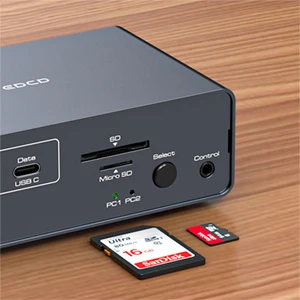
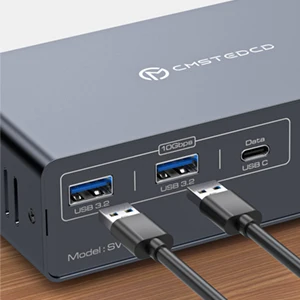
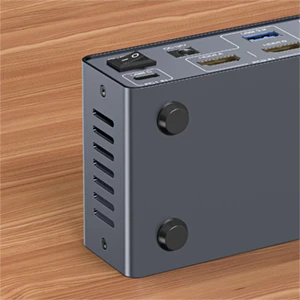
SD card port and a Micro SD card port
Two SD ports are available for you to use to easily copy like photos, documents, videos and various application data to laptops and PCs.
USB 3.2 ports
Provides two additional USB3.2 ports with data transfer speeds of up to 10Gbps to simultaneously support removable hard drives, USB flash drives, printers, cameras and more.
Well-made
Metal shell, anti-drop noise, fashionable and beautiful, the body with anti-friction pads, you can move without worrying about damage to the desktop.
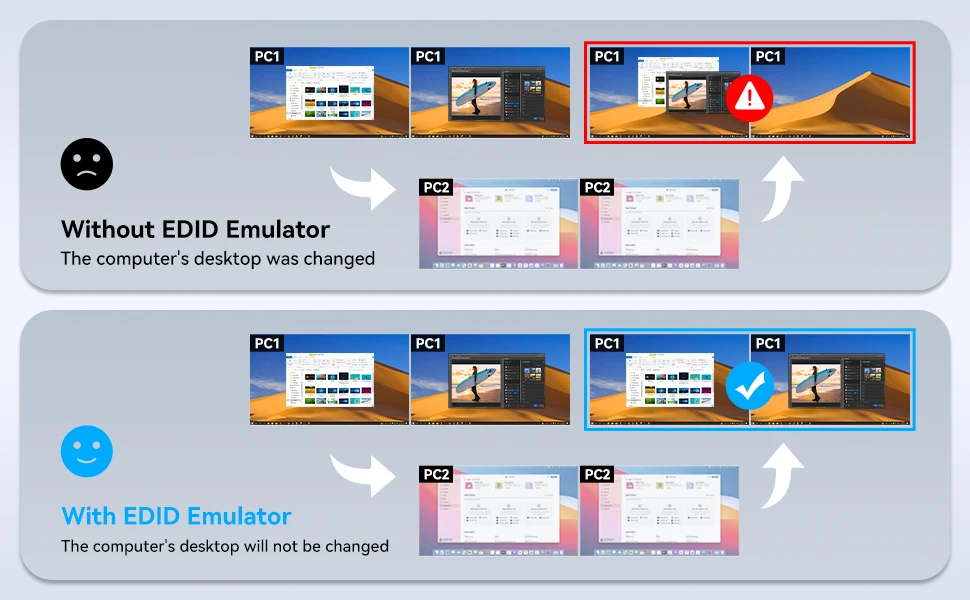
EDID Copy Function: No need to rearrange desktop windows after switching computers.