USB C HDMI DP KVM Switch 2 Monitors 4K@60Hz Dual Screens Type C KVM Switches 100W PD for 1 PC 1 Laptop Share Mouse Keyboard
KVM for 1 PC 1Laptop
Sale price
$142.99
Regular price
$147.99
Skip to product information


USB C HDMI DP KVM Switch 2 Monitors 4K@60Hz Dual Screens Type C KVM Switches 100W PD for 1 PC 1 Laptop Share Mouse Keyboard
Sale price
$142.99
Regular price
$147.99
SPECIFICATIONS
100W PD: dual monitor kvm switch
2K@144Hz: kvm switch dual monitor
3440x1440@120Hz: usb c kvm switch
4K 60Hz: kvm switch 2 monitors
Amplifier: No
Brand Name: Navceker
Bundle: Bundle 1
Certification: CE,FCC,RoHS
Connector A: Type-C,Thunderbolt 3,HDMI-Compatible,Mini Displayport(Mini DP),USB
Connector B: DP/Mini DP,HDMI-Compatible,DC5521,USB
External Power Source: Yes
Gender: Male
High-concerned chemical: None
Model Number: ZY-SK202C,ZY-SK202C kvm switch type c hdmi
Origin: Mainland China
Package: Yes
Plug Type: EU Plug
Product Name: kvm switch 2 pc and 2 monitors
Resolution: kvm switches 2 pc
Size: 14x7x4cm
Type: USB-C HDMI KVM Switch
USB 3.0: usb kvm switch 2 pc
Video standard: kvm switch hdmi USB C
Warranty: One year free warranty kvm dp switch usb c
Weight: 0.62KG
|
|

If you like our products please you add to cart or add to Favorites,Surprise coupons is waiting for you to extract,
more refined small gifts free to send, please contact customer service.
If you follow our store and become our fans, you can get extra 5% discount.
ugreen
Navceker USB C KVM Switch HDMI DP 2 PC 2 Monitor 4K 60Hz KVM Switch USB 3.0 Type C 2K 144Hz 100W PD for Laptop MacBook 2 Computers Dual Monitors
Description:
ZY-SK202C,Navceker 4K 60Hz USB C + HDMI +DP KVM Switch allows you to share one USB keyboard, USB mouse,4x USB 3.0 device, and HDMI +DP monitor to control 2 Macbook,computers, laptops, game consoles.
It is designed for multitask with two computers at your necessary, increasing productivity in the office or at home ; You can switch between 2 computers using a manual switch located on the top of the KVM unit.
Features:
USB C KVM Switch 4K/1080P@60Hz,USB C HDMI DP Dual Monitor KVM Switch for PC /Laptop Sharing 2 Monitor and 4 USB3.0 Devices, 100W PD
✅【KVM Switch 2 Monitors for 1 PC 1 Laptop】This HDMI DP 2 monitors KVM switch connects 2 computers(1 laptop+1 desktop) sharing 2 monitors and 4 USB3.0 devices.By efficiently utilizing 2 monitors, you can easily multitask while saving workspace.
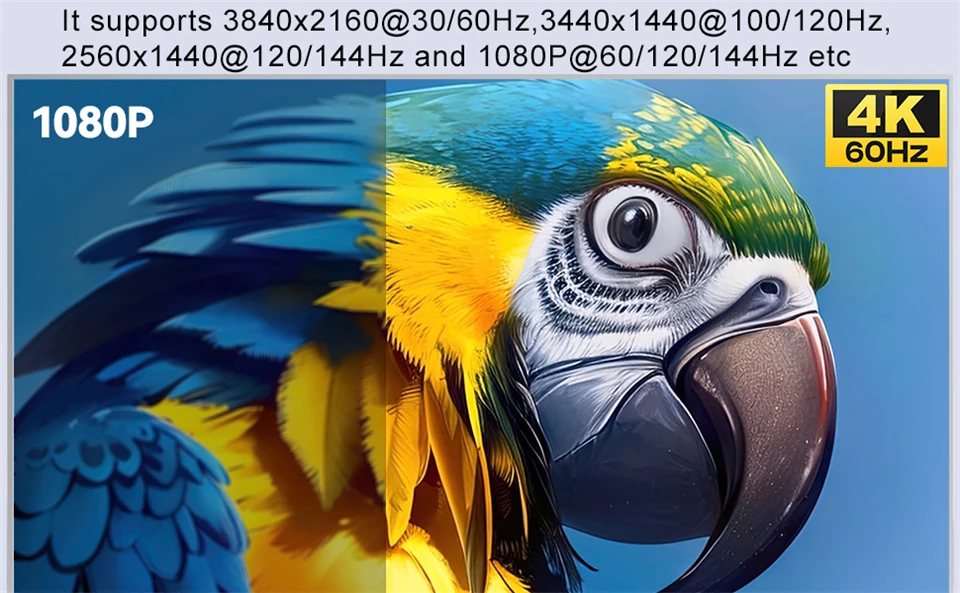
✅【4K Ultra-HD Visual Quality】Our dual-monitor KVM switch support delivers stunning 4K@60Hz visuals, with crystal-clear details on your monitors. It works seamlessly with HDCP 2.3, which allowing watch protected content without interruptions. It’s flexible for many display needs, supporting 4K@60Hz/30Hz, 3440x1440@100/120Hz,2K@120/144Hz,1080P@120/144Hz etc. Note: Please use high-quality HDMI 2.1/USB C cables to achieve 4K@60Hz performance.
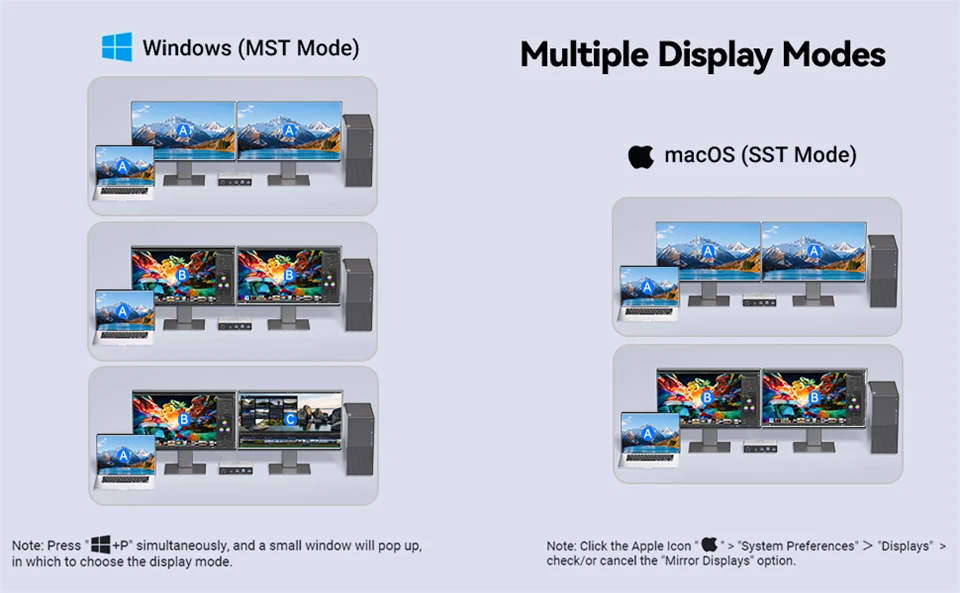
✅【KVM Switch USB C with MST】With the MST feature, connect just one Type-C cable from your laptop to this KVM switch USB C to expand to two different displays, For the desktop PC, connect it using 1 HDMI + 1 DisplayPort + 1 USB 3.0 cable to the KVM Switch desktop laptop This Dual monitor KVM Switch USB C complies with HDMI 2.1, DisplayPort 1.4, Type-C 3.1, and USB 3.0 standards.NOTE:Mac computers only support mirroring screens.
✅【4 USB3.0 Ports】The 4K@60Hz USB-C HDMI DP KVM switch is equipped with one USB C and three USB 3.0 ports, with a transfer speed of up to 5Gbps, which is 10x faster than USB2.0. Enable 2 computers to share USB devices, such as a mouse, keyboard, USB flash drive, camera, etc.
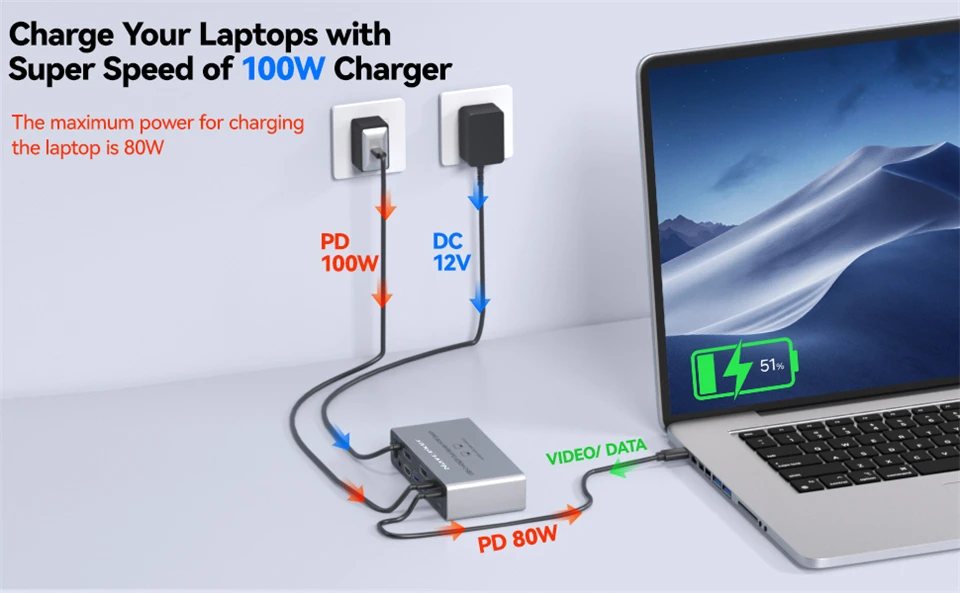
✅【Support 100W PD Fast Charging】The USB C HDMI DP KVM Switch is designed with a PD charging port, which can provide enough power for your laptop during use. Please note: The actual power charged to the laptop is 80W, because the KVM itself and the cable will produce some power loss.
✅【Two Switching Methods】Plug and play, easy installation, no driver required, two switching methods are provided: press the selection button on the KVM to switch; use the desktop extension button to switch, the KVM Switch can be placed under the desktop or outside the workspace to make the desktop more concise. Note: Keyboard shortcuts (hot keys) are not supported for switching
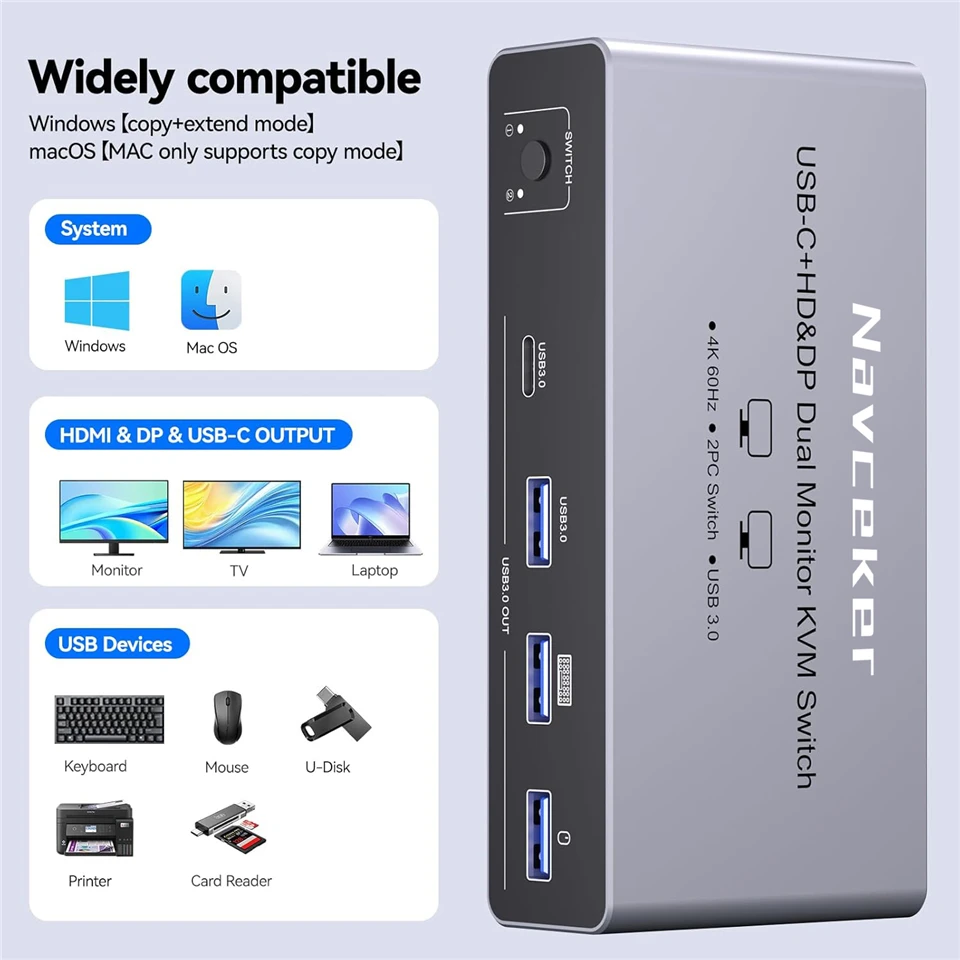
✅【Extension Mode and Copy Mode】USB-C KVM Switch 2 Monitors 2 Computers supports extension mode and copy mode for Windows laptops and desktops.Note: Only support mirrored output on macOS. Plug and play, easy installation, no driver required.
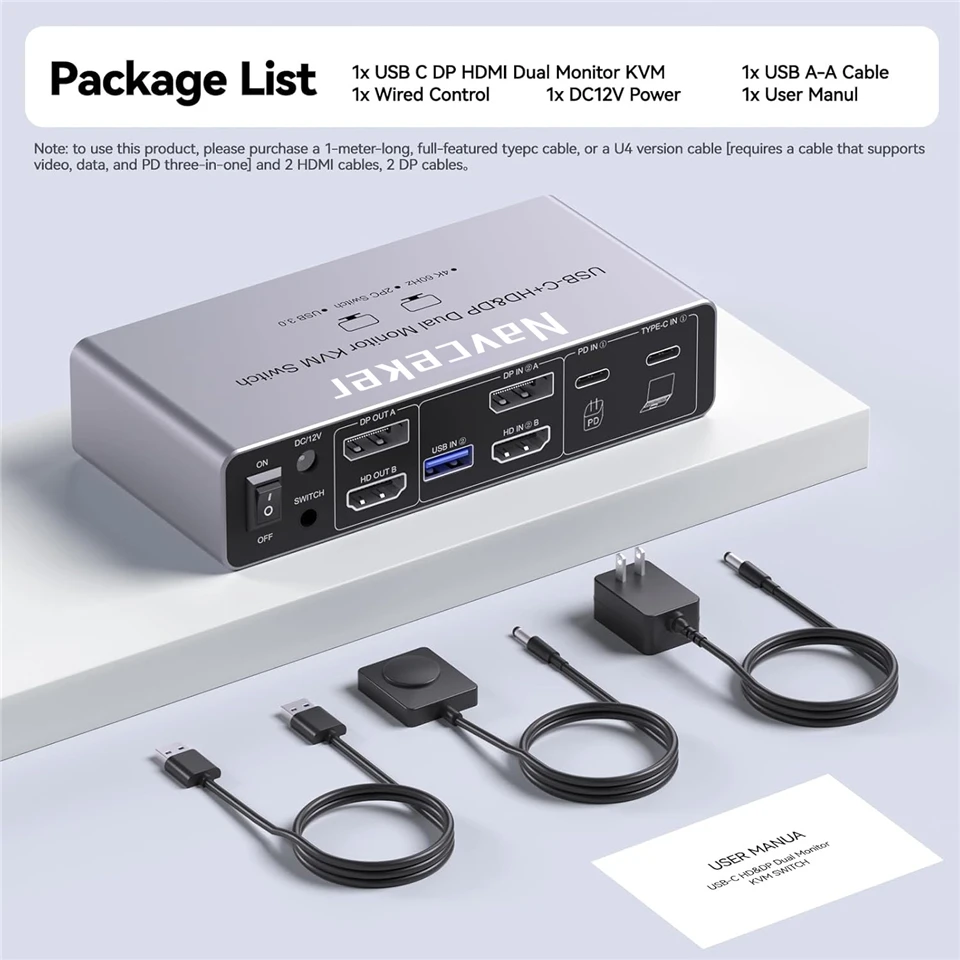
✅【Packing List】 1* USB C HDMI DP KVM Switch, 1* USB3.0 cable, 1*DC12V power adapter, 1*wired controller, 1*user manual.
Package contents
• 1 x USB C HDMI KVM Switch
• 1 x USB Gen 2 Cable(Type C to Type C)
• 1 x USB 3.0 Cable
• 1 x 12V/1A Power Adapter
• 1 x Wired Remote Control
• 1 x User Manual
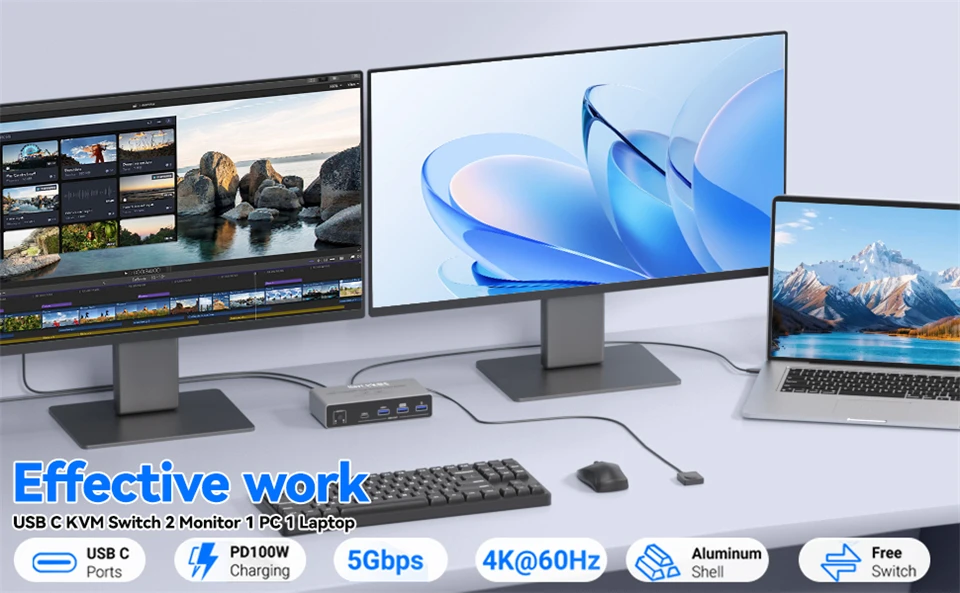
Navceker USB C HDMI DP KVM Switch for 1 Laptop and 1 Desktop
Plug and Play: Easily connect and switch between two laptops, giving you access to full functionality without the hassle of plugging and unplugging.
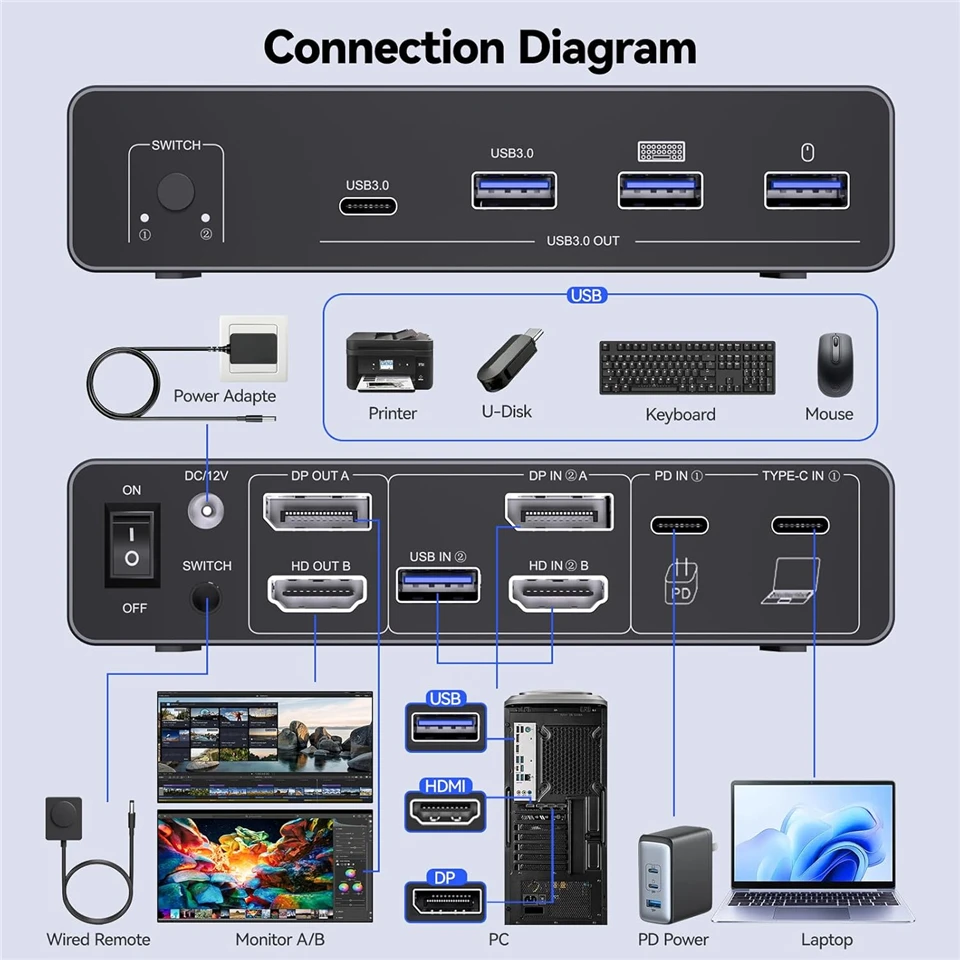
Powerful 11-in-1 docking station from Navceker offers unparalleled versatility, effortlessly connecting multiple peripherals to your PCs for a streamlined home workstation setup.
Includes 2x USB 3.0 ports for keyboard and mouse
1 x USB 3.0, 1 x USB-C 5 Gbps data port, connect more USB devices
1 x HDMI 2.1 & 1 x Displayport 1.4 outputs, to ensure 2 display stable transfer
100 W Power Delivery
it provides 100W power to charge the signal source, ensuring uninterrupted operation during long working hours
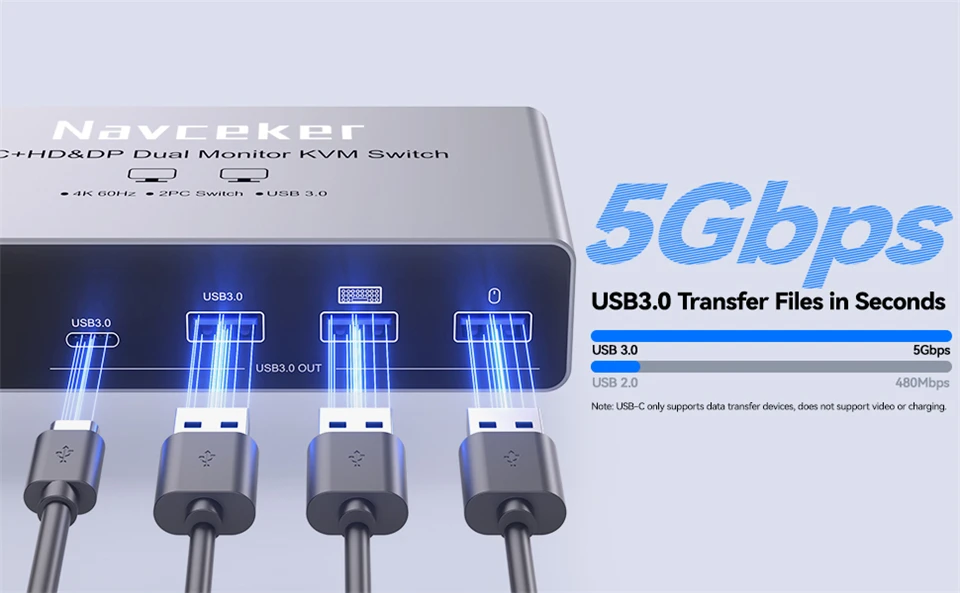
4 x 5 Gbps USB 3.0 & USB C Data Transfer
Supports Connecting your USB 3.0 /USB 2.0 port device such as Mechanical Keyboard,Bluetooth Mouse,Scanner,USB driver,3D Printer,USB Camera
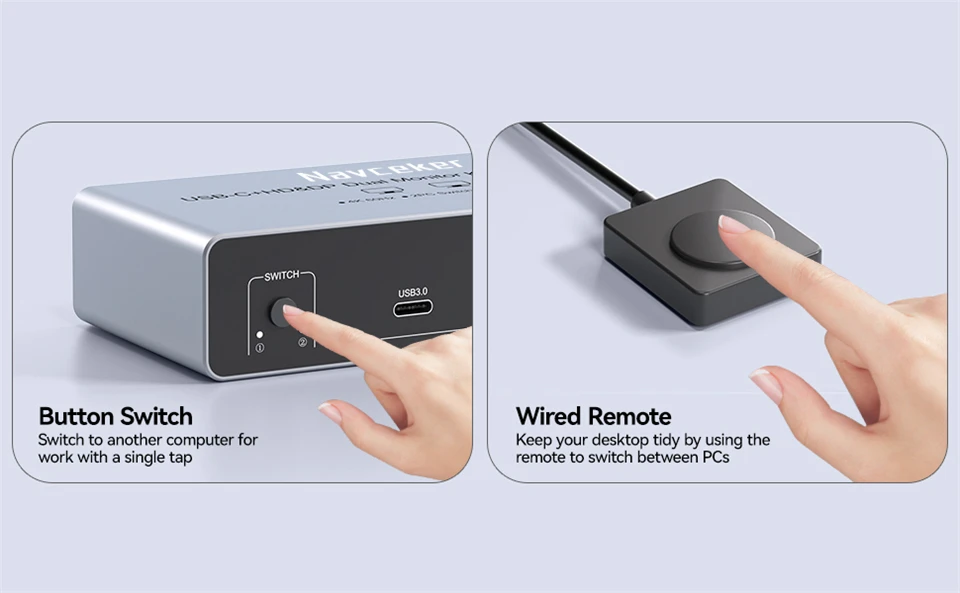
ONE BUTTON TO SWITCH
1. Wired Remote Control lets you hide the extension under your desk or out of your workspace, saving space and keeping your desktop tidy.
2. Simply press the button on the front of the docking station to switch.
 Notes:
1. In Windows system, HDMI docking station supports MST and SST modes. If you are using macOS on your computer, the hdmi DP ports can only display two identical images.
2. The USB-C devices must support Power Delivery, Display Port Alt Mode functionality. It's normal for the screen to go black when switching between two host devices.
3. For stable screen mirroring, the 5Gbps USB-C port only transfers data and does not support PD charging or video transfer.